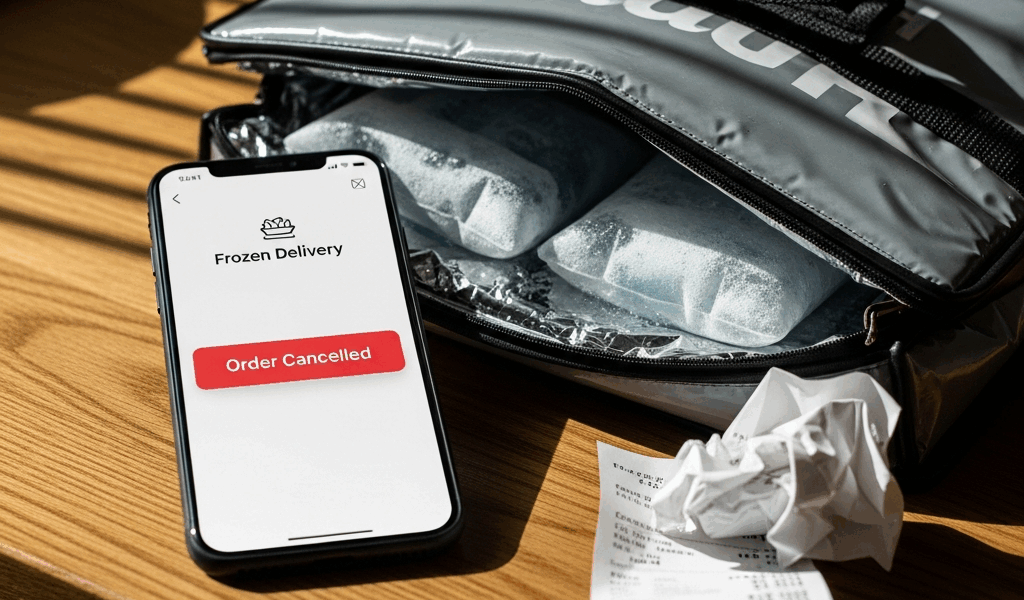
If a DoorDash order was picked up but then canceled or disappeared before delivery, open the live or recent order and use Help immediately. Do not cancel it yourself merely because a Dasher asks you to. Explain that tracking showed pickup, the order was not delivered, and the order later showed canceled or vanished.
A cancellation after pickup is different from a restaurant canceling before a Dasher arrives. DoorDash’s own Dasher policy recognizes that urgent or safety problems can prevent delivery after pickup. It also describes cases where an order is canceled after the platform determines that a Dasher took possession but did not complete delivery. The correct resolution depends on the actual order record, so support—not speculation about the driver—is the reliable next step.
What to do when a DoorDash driver cancels after pickup
- Open the order details. Record whether it says picked up, on the way, canceled, delivered, or no longer appears.
- Take screenshots. Capture the status, map, messages, time, order number, and any cancellation notice. Hide personal and payment information before sharing them.
- Check the delivery location. Look at the door, lobby, front desk, designated drop-off area, and delivery photo if one exists.
- Try the in-app Help flow. Select the live or recent order and report the issue that actually occurred.
- Contact a live DoorDash agent if self-help does not match the situation. State that the order showed pickup but was never received.
- Ask for two clear answers. Is the order still active, canceled, or marked delivered—and what refund, credit, or redelivery resolution applies?
Do not place an identical order until DoorDash confirms that the first order is no longer active. This prevents a replacement and the original from both arriving or being charged.
Can a Dasher cancel after picking up the food?
Yes, an order can end after pickup. DoorDash’s Dasher safety guidance says a Dasher who feels unsafe can cancel after pickup through the app. DoorDash’s contract-violations guidance also tells Dashers to contact support and follow in-app instructions if a safety concern or another urgent problem prevents delivery after pickup.
Those are examples, not a diagnosis of your order. A tracking screen cannot tell you whether there was a safety problem, vehicle problem, app issue, incorrect handoff, platform cancellation, or another operational event. Avoid accusing the driver or inventing a reason; give support the observable facts and let DoorDash review its records.
What happens to an order canceled after pickup?
The app may show a cancellation, a changed status, or an order that appears to disappear from the active screen. DoorDash may resolve an undelivered order with a refund, account credit, redelivery, or another support outcome depending on the order and local options. Do not assume that a new driver will automatically receive food already collected by someone else.
DoorDash’s policy specifically discusses “order picked up but never delivered” and “wrong Dasher handoff” events. That confirms the platform can investigate pickup and completion records. It does not establish that every missing delivery was intentional misconduct, and it does not promise one universal consumer resolution or timeline.
Will DoorDash refund an order canceled after pickup?
Report the undelivered order through its Help screen and review the resolution DoorDash offers. If the order was canceled by another party, DoorDash’s consumer cancellation guidance generally distinguishes that from a customer voluntarily canceling an active order. Refund and credit decisions remain subject to the order record and DoorDash’s terms.
If a Dasher asks you to cancel, do not confirm a customer-initiated cancellation without first contacting support. DoorDash’s official customer cancellation page says refund eligibility can depend on whether the restaurant confirmed the order and whether a Dasher was assigned. It also directs customers to a live agent when a Dasher asks them to cancel or another delivery issue cannot be handled through self-help.
When speaking with support, use a simple description:
“Order [number] showed that it was picked up at [time], but I did not receive it. It now shows [exact status]. Please confirm the order status and the refund, credit, or redelivery resolution.”
Keep the support confirmation. If DoorDash says it issued a refund, the card issuer or payment provider controls when it appears. Use the processing estimate shown by DoorDash or your payment provider rather than relying on a universal online timeline.
What if DoorDash marks it delivered instead of canceled?
First check the delivery photo, instructions, door, lobby, front desk, nearby entrance, and anyone else at the address. If the order is still absent, report it from the completed order as not received and provide the factual details. Do not choose “wrong order” or “missing item” if nothing arrived; select the option that matches the event displayed in your app.
DoorDash’s Dasher rules say an order should not be marked complete before delivery and describe a “Never Delivered” review process. The platform can compare its status, location, photo, communication, and support records. Your screenshots can help clarify what you saw, but DoorDash’s internal records determine its investigation.
What if the order is still active but the Dasher disappears?
Do not assume a cancellation merely because tracking pauses. The Dasher may be handling a stacked delivery, waiting on support, experiencing poor connectivity, or dealing with another delay. Use the order’s Help flow when it passes the displayed estimate or its status becomes inconsistent.
Send one neutral message through the app if messaging remains available. Avoid repeated calls or messages. If there is no response and the order does not progress, contact DoorDash so the platform can see the live assignment and decide whether to continue, reassign, cancel, or resolve it another way.
Do not cancel on the driver’s behalf
A message asking you to cancel can create confusion about who initiated the cancellation and what refund terms apply. DoorDash’s Dasher policy states that intentionally causing a customer to cancel can be a contract violation. Examples include prolonged lack of progress after pickup or using an inaccurate cancellation reason.
That policy does not mean every request is dishonest. A real safety, merchant, or delivery issue may exist. The practical response is the same: preserve the message, leave the live order unchanged, and contact DoorDash support. Ask the agent to document who requested cancellation and why.
Information to give DoorDash support
- Order number, restaurant, date, and total
- The last status you saw before the problem
- Pickup and cancellation or disappearance times
- Whether anything was delivered
- Whether the app shows canceled, delivered, delayed, or no active order
- Any in-app messages about cancellation or delivery problems
- Screenshots with sensitive information hidden
Ask the agent to summarize the resolution in chat or email. If the first self-help option does not describe an order collected but not delivered, use the official DoorDash Customer Support page to reach the appropriate order-support path.
Should you dispute the charge?
Start with DoorDash because it has the order, pickup, delivery, and refund records. If DoorDash confirms a refund, retain that confirmation and allow the payment provider’s stated processing period. If DoorDash and the payment provider cannot resolve a charge for an order you did not receive, ask the payment provider about its formal dispute process and provide accurate documentation.
A payment dispute is not a shortcut for an active support case. It can affect the account or require additional evidence, so use it only after documenting the merchant-resolution attempt and understanding the issuer’s rules.
Frequently asked questions
What happens if a DoorDash driver cancels your order?
The result depends on when and why the order ended. If tracking showed pickup but nothing arrived, open the order’s Help flow, preserve the status and messages, and ask DoorDash to confirm whether it was canceled, marked delivered, or otherwise closed.
Does DoorDash automatically assign another driver?
Do not count on automatic reassignment after food has already been collected. Watch the actual order status and contact support before reordering if the app does not clearly show what will happen next.
Should I cancel if the Dasher tells me to?
Contact DoorDash first. Its customer help page specifically directs customers to a live agent when a Dasher asks them to cancel and self-help cannot address the delivery issue.
Can a Dasher keep food after canceling?
The customer cannot determine from tracking alone what happened to the food or why the delivery ended. Report the observable facts. DoorDash can review pickup, progress, communications, and completion records under its policies.
How long does the refund take?
Use the estimate attached to the actual DoorDash resolution and payment method. DoorDash controls when it processes a refund or credit; a bank, card issuer, or wallet provider controls when a refund appears in that account.
Bottom line
If a DoorDash driver cancels after pickup, document the order, do not cancel on someone else’s behalf, and contact DoorDash from the live or recent order. Ask the platform to confirm both the final status and the resolution. That is safer and more accurate than guessing why the driver disappeared, immediately placing a duplicate order, or relying on an unsupported refund timeline.
If the cancellation happened before pickup or while the order was still confirming, use the separate DoorDash canceled-order and stuck-confirming guide.

Leave a Reply