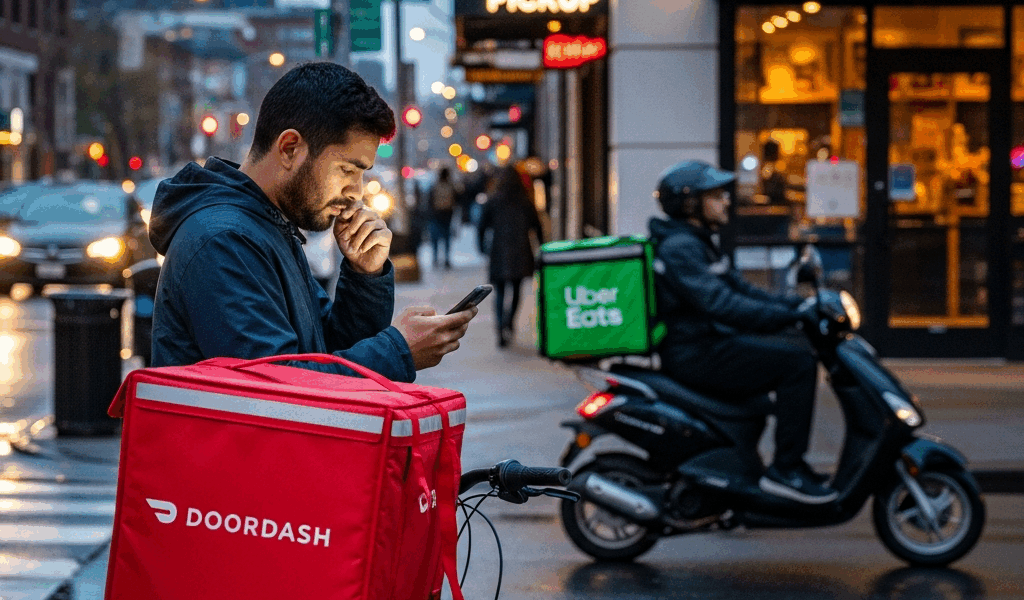
Why Your DoorDash Order Takes Longer Than Your Uber Eats Order
Delivery app timing feels harder to navigate every year with all the conflicting “which app is better” noise flying around. As someone who orders from both DoorDash and Uber Eats four or five times a week — sometimes from the same restaurant on the same night, just to watch what happens — I learned everything there is to know about how these platforms actually move food from a kitchen to your door. I’ve sat in my apartment with two delivery countdowns running simultaneously. For about two years. So yeah, I’ve seen some things.
The pricing comparisons are everywhere online. Restaurant selection breakdowns — everywhere. But the operational mechanics that determine whether your pad thai arrives in 28 minutes or 54? Nobody explains that part. That’s what actually matters when you’re hungry at 7pm on a Tuesday and staring at a progress bar.
So let’s get into the specific stuff: why DoorDash sometimes feels sluggish even when the restaurant is six blocks away, why Uber Eats occasionally surprises you with a weirdly fast drop-off, and what you can actually do about any of it.
The Driver Assignment Difference
This is the part you actually came for. It took me the longest to figure out — and it’s the thing that explains most of the timing weirdness people complain about.
DoorDash pings a Dasher almost immediately after you place your order. Within a minute or two, usually. The driver accepts, starts heading toward the restaurant — even if the kitchen hasn’t touched your food yet, even if it won’t be ready for another 20 minutes. So the Dasher shows up, waits at the counter, eventually grabs your order, and drives to you. Early assignment, linear process.
Uber Eats does something meaningfully different. Their algorithm deliberately holds off on assigning a driver until the restaurant signals the order is nearly done. The logic is reducing how long drivers sit idle at restaurants — efficient for them, sure. But what it means for you is a potential gap between “your food is sitting under a heat lamp” and “someone has actually accepted the delivery.” That lag is real.
Neither approach is objectively better. They’re just trading different problems for different people.
With DoorDash, you get a name and a little car icon fast — reassuring, psychologically. The progress bar moves. But if the restaurant is slammed, your Dasher stands around waiting while your food gets cold before it even leaves the counter. With Uber Eats, you sometimes stare at “finding your delivery partner” for what feels like an unreasonable amount of time — then suddenly a driver appears, arrives at the restaurant in minutes, and the whole thing wraps up faster than expected. The wait is just front-loaded differently. Same total time, different anxiety distribution.
In dense urban areas during peak hours, DoorDash’s model tends to feel slower — drivers get stuck in traffic en route to the restaurant and food waits anyway. Uber Eats’s model struggles in lower-density suburbs where there simply aren’t enough nearby drivers when your food is ready. Geography determines which problem you’re more likely to run into.
Batched Orders — The Hidden Delay
Both apps do this. You need to know about it.
Batching — where a single driver picks up multiple orders and delivers them sequentially — looks logical on a spreadsheet. One driver, two deliveries, the math works. From the perspective of whoever is stop number two, though, it means your food has been sitting in a thermal bag in someone’s Honda Civic for 25 minutes before it reaches your door.
But what is batching, really, in terms of how each platform handles it? In essence, it’s the same concept executed with different levels of driver flexibility — and that difference matters. But it’s much more than a minor operational detail.
On DoorDash, Dashers have more room to decline individual orders within a stacked batch. If a driver has already accepted one order and a second comes through that pays poorly or is geographically annoying, they can pass on it. Sounds like it protects you as a customer — fewer batches, more direct deliveries. In reality, it means declined orders sit in the queue longer, waiting for someone willing to take them.
Uber Eats batching is more algorithmically locked once a driver is assigned a stacked route. Less flexibility to drop individual items. This creates somewhat more predictable delivery times — the routing is set — but if you’re stop two and stop one is wildly out of the way, you’re waiting regardless of how good the algorithm is.
Don’t make my mistake. I once ordered a burrito bowl from a Chipotle approximately six blocks from my apartment. Estimated time: 22 minutes. Actual time: 49 minutes. The tracking showed my driver had gone to an entirely different neighborhood first. The bowl arrived at room temperature. That was a $17.43 lesson — including the $3 tip I gave someone who, in retrospect, earned approximately $0.00 of it.
If the estimated time seems unusually long for a restaurant that’s physically close to you, the app has probably already mapped a batched route for your driver. This is especially likely on Friday dinner rush, weekday lunch in office-dense areas — any window where driver demand spikes and both platforms are trying to maximize order volume with limited capacity.
Driver Pay Models Affect Speed
This one’s uncomfortable because it implicates tipping. But it’s real, so here it is.
DoorDash base pay starts at $2.00 to $3.00 per order — tips stack on top. Drivers see the total payout before accepting. A $2.00 base with no tip is $2.00. A $2.00 base with a $5.00 tip is $7.00. Experienced Dashers in competitive markets get very fast at calculating payout-per-mile before accepting anything. Low-tip orders get declined — repeatedly, sometimes — until the system adds a bonus to make them attractive, or until a less selective driver picks them up. Your food sits during this whole process.
Uber Eats uses more dynamic base pricing. Pay fluctuates based on distance, time, and demand — and during surge windows, base pay goes up significantly, pulling more drivers into active areas. That’s what makes Uber Eats endearing to us impatient Friday-night orderers — the surge model means better driver availability during exactly the moments we’re most likely to be ordering.
Frustrated by slow DoorDash orders during peak hours? The tip field is doing more work than most people realize. That’s not a moral argument — it’s just a mechanical description of how orders move through the queue. More tip visibility on DoorDash means tip size has a more direct, immediate effect on assignment speed than on Uber Eats.
Uber Eats’s surge model keeps driver supply more aligned with demand. More drivers active in your area means shorter assignment windows — and in Uber Eats’s late-assignment model, once a driver is found, the whole thing moves quickly.
Restaurant Factors Matter More Than App Choice
Burned by two consecutive slow deliveries from the same Thai place, I started logging my order times in a notes app last spring. I have 94 entries now. The clearest variable in that data — by a significant margin — isn’t the app. It’s the restaurant.
There are places in my neighborhood that consistently hit 12 to 15 minutes of prep time regardless of which app I use. A sandwich shop on Clement Street has never, across 11 orders split between DoorDash and Uber Eats, taken longer than 18 minutes from placement to door. Then there are spots — usually nicer sit-down places that also do delivery — where prep routinely runs 35 to 45 minutes because delivery orders are third priority behind dine-in tables and bar tickets. No algorithm fixes a slow kitchen.
DoorDash can assign a driver in 90 seconds. If the restaurant takes 40 minutes to prepare your order, you’re waiting 40 minutes — minimum, every time. The app’s efficiency ceiling is set by the restaurant’s throughput. Full stop.
Both apps pull estimated delivery times from historical data — how long that specific restaurant typically takes during that day and time window. The estimates are often optimistic, especially for newer restaurants on the platform or spots with wildly uneven volume. Your own order history is more accurate than either algorithm. Trust that over the app’s estimate.
- Fast-casual chains — Chipotle, Sweetgreen, Shake Shack — tend to have reliable prep times because their operations are standardized at the process level
- Independent restaurants with small kitchens get overwhelmed during peak hours regardless of how good the food is on a slow Tuesday
- Ghost kitchens — delivery-only operations — are purpose-built for speed and frequently outperform traditional restaurants on both apps
- Restaurants that have been on a platform longer tend to have more accurate estimated times because the algorithm has more historical data to calibrate against
Which App Is Actually Faster
After the driver assignment breakdown, the batching mechanics, the pay model stuff — here’s the honest answer: it depends, but not randomly.
During peak hours in dense urban areas, Uber Eats tends to be faster. The surge pay model keeps more drivers active during exactly the windows when you’re most likely to be ordering. More available drivers means shorter assignment gaps — and in Uber Eats’s late-assignment model, once a driver is found, the handoff from restaurant to door happens quickly.
During off-peak hours — weekday lunches in residential neighborhoods, late-night orders in lower-density areas — DoorDash’s early assignment can give it an edge. Fewer active drivers across both platforms during these windows, but locking in a driver immediately means you’re not waiting for the app to locate someone at the exact moment your food finishes cooking.
Geography matters enormously. In cities with high driver saturation — New York, LA, Chicago, San Francisco — both apps perform reasonably well and the differences shrink. In mid-sized cities or suburbs with fewer active drivers, whichever platform has better local recruitment wins — and that varies by market. There’s apparently no universal answer that works everywhere.
What I’ve actually settled on: I check estimated delivery times on both apps before deciding. Whichever shows the shorter estimate for that specific restaurant at that specific moment gets my order. The estimates aren’t perfect — but they’re real-time reflections of current driver availability and restaurant capacity. A 28-minute estimate on DoorDash versus 41 minutes on Uber Eats for the same restaurant is telling you something real about driver density in your area right now.
The bigger move — honestly — is choosing the restaurant strategically. A well-run fast-casual spot on DoorDash will outperform a slow sit-down restaurant on Uber Eats every single time. The app is the last variable worth optimizing. The restaurant is the first.
Both companies adjust their algorithms constantly. What I’ve described reflects how these systems have worked over the past couple of years, drawn from driver-side reporting, platform documentation, and an embarrassing amount of personal testing. Specific numbers — base pay figures especially — shift frequently. But the operational principles are stable: early versus late assignment, tip sensitivity, batching flexibility. Those aren’t going anywhere.
If you want your food faster: tip reasonably on DoorDash, order outside peak hours when you can, and figure out which restaurants in your area are actually fast. That combination will do more for your delivery times than any app-switching strategy ever will.

Leave a Reply