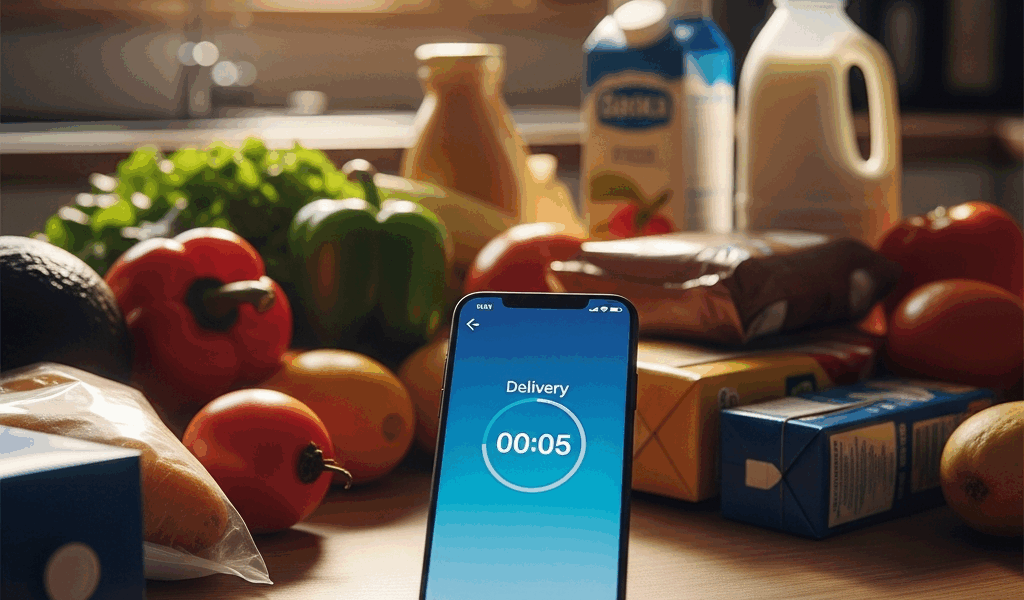
Instacart’s Delivery Time Estimate Is Basically a Guess
Instacart delivery times don’t make sense the way it used to with all the misinformation flying around. As someone who has rage-refreshed the app while hungry guests sat in my living room, I learned everything there is to know about why these estimates fall apart. Today, I will share it all with you.
Here’s the thing nobody tells you upfront: that delivery window appears before a single shopper has even looked at your order. It’s a calculation built on store location, your address, historical traffic patterns, and average processing speed. Not real-time anything. Not actual shopper availability.
I learned this the hard way — ordered groceries at 5:47 PM on a Tuesday, got a “30–40 minute” window. Checked back at 6:20 PM. No shopper. At 7:05 PM, still nothing. The estimate kept sliding forward like a mirage on a summer highway.
The system has no idea if the nearest shopper is actively working. It doesn’t know that shopper is juggling three other batches. It doesn’t account for dinner rush or a store packed wall-to-wall. — because understanding the gap between estimate and reality changes everything about how you handle a late order.
The Most Common Reasons Your Order Is Running Late
No Shopper Has Been Assigned Yet
This is the biggest culprit. Sometimes 20, 30, even 40 minutes pass with zero movement. The app cheerfully shows “Preparing,” but behind the scenes, no shopper has accepted your batch yet.
Demand outpaces available shoppers constantly — especially between 5–8 PM on weekdays and weekend mornings. Your order might be sitting in a queue. Or the algorithm is deliberately holding it, waiting to bundle it with another order heading to the same store. Fewer active shoppers in your zip code makes this worse.
The Shopper Is Working a Batch Order
But what is a batch order? In essence, it’s one shopper picking for two, three, or even four different customers in a single store trip. But it’s much more than that — it’s also the reason your pasta sauce sits unpicked for 15 minutes while your shopper hunts down someone else’s gluten-free bread in aisle 9.
Batch orders save Instacart money. That’s what makes them endearing to Instacart — not to you. Your personal timeline absorbs the uncertainty.
Items Are Out of Stock
The shopper scans the shelf. Your item is gone. The app fires a substitution request your way — paper towels out of stock, would you accept Bounty Select-A-Size 12-pack instead of the store brand you ordered?
You’re in a meeting. You miss the notification. The shopper waits. Your order stalls for 5, 10, sometimes 20 minutes pending your approval. Multiply that across three missing items and you’ve eaten up half an hour without the order moving an inch.
Long Checkout Lines at the Store
Your shopper finished picking every item. Now they’re standing behind 40 people at checkout. One register malfunction — or someone paying by personal check in 2024 — creates a bottleneck that’s completely invisible in your app but very real in that store.
Distance From Store to Your Address
Instacart’s algorithm assumes a tidy travel window. If you live 8 miles from the store instead of 2, or if there’s unexpected congestion on the main route, that final delivery leg stretches well past what the estimate projected.
How to Tell Where the Delay Is Actually Coming From
Stopping for a sec — this is the key bit. Open the order tracker. Look at the bottom — you’ll see stages labeled “Preparing,” “Checking Out,” “On the Way,” and “Arriving Soon.”
Stuck on “Preparing” for over 20 minutes with no shopper assigned? Queue issue. Demand is outpacing supply in your area right now.
Shopper assigned but still sitting in “Preparing” after 30 minutes? They’re either batched with other orders or waiting on substitution approvals. Tap their profile at the top of the screen and send a quick note: “How’s it going — any trouble finding items?” Friendly tone moves things faster than a complaint.
Frozen on “Checking Out” for 10-plus minutes? Store checkout line. Nothing actionable here. Wait it out.
On “On the Way” but the ETA keeps nudging back by 5–10 minutes? Traffic, or the store was farther from your address than the estimate assumed.
No movement for 30-plus minutes, no shopper, tracker looks identical to an hour ago? Contact support through the app directly. Tell them the order hasn’t progressed. They can escalate it or issue a refund — often both.
What You Can Do Right Now to Speed Things Up
Pre-Approve Substitutions Before Ordering
While you won’t need to overhaul your entire account setup, you will need a handful of minutes in your settings. Go to your Instacart account, find “Notification Preferences” or “Order Settings,” and enable automatic substitutions for similar items or same-brand alternatives.
This removes the approval bottleneck entirely. The shopper grabs the closest match and keeps moving. One less pause in the timeline — and honestly one of the easiest fixes on this list.
Message the Shopper Early
First, you should message the shopper after 15 minutes in “Preparing” — at least if a shopper is actually assigned. Keep it short: “Hi! Is everything available today?” It signals you’re paying attention. Shoppers handling multiple batches sometimes prioritize the engaged customers.
Check for Priority Delivery at Checkout
Priority delivery might be the best option, as peak-hour ordering requires faster queue placement. That is because standard orders sit behind everything else when shopper supply drops. Before placing the order, scroll past the payment method on the checkout screen — some areas offer a Priority or Express bump for $2–$3. Worth it during Friday evening rush. A Tuesday at 2 PM? Skip it, save the money.
Report Late Orders for Credits After Delivery
If your order lands 30-plus minutes past the original estimate window, open the help menu after delivery. Select “Order arrived late.” Instacart typically credits $5–$10 back without much friction — they’re competing hard against DoorDash and Uber Eats right now. Don’t make my mistake of just silently accepting the delay and moving on. That credit accumulates.
When to Just Cancel and Order Elsewhere
Not every late order is worth saving.
Thirty-five minutes in with no shopper assigned and dinner guests arriving in 45 minutes? Cancel. Tap the three-dot menu on the order screen, hit “Cancel Order.” Your full balance stays in your Instacart account — you’re not losing money, just redirecting it somewhere that can actually deliver tonight.
Tracker frozen for 25 minutes and the shopper isn’t responding to messages? Cancel again. No hesitation.
Shopper marked “On the Way” but ETA stuck at “Arriving Soon” for 15-plus minutes without moving? They might have app issues or gotten completely lost. Send one message. I’m apparently someone who waits too long in these situations, and it has cost me cold dinners twice. Two minutes with no reply — go straight to support.
DoorDash and Uber Eats are legitimate fallbacks. They often have stronger shopper availability in dense areas, though grocery selection through local partners can be narrower. A 20-minute delivery beats a 90-minute Instacart wait on a night when timing actually matters.
Instacart delays sting because you paid for convenience — and the convenience evaporated. But most delays follow a predictable pattern: pre-assignment lag, batch order overlap, or substitution holdups. They’re not random. They’re just the gap between what the algorithm estimated and what’s actually happening on the ground. Now you know where to look.



Leave a Reply