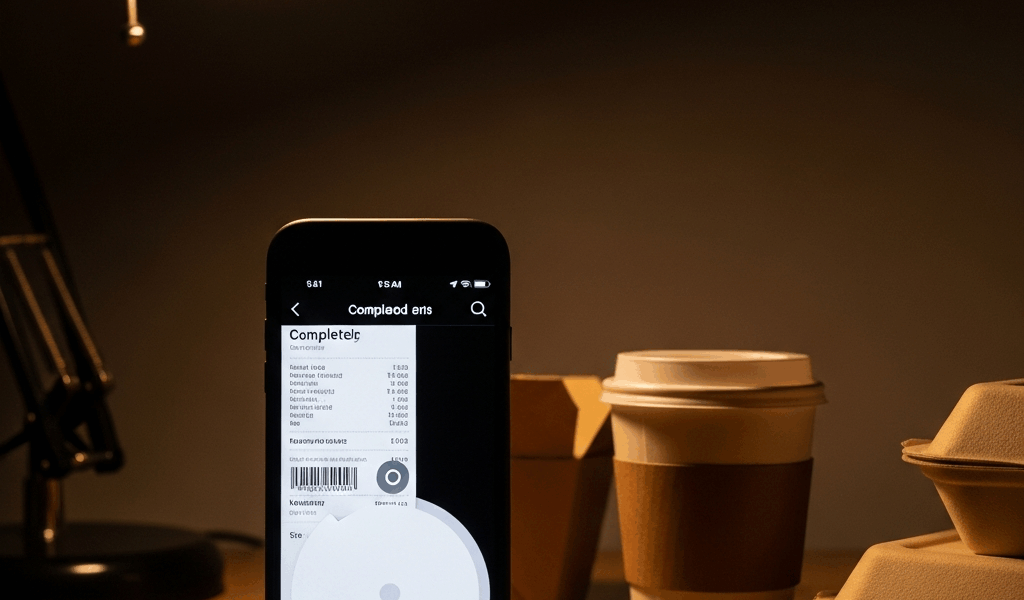
What Actually Happens When an Uber Eats Order Just… Vanishes
Uber Eats order disappearances have become a complete mess with all the misinformation flying around. Some people panic and reorder immediately — that’s the trap. Others spend 45 minutes on hold with their bank over a charge that was never real to begin with.
As someone who has had this happen three separate times across two different phones and two different banks, I learned everything there is to know about why Uber Eats orders disappear. Today, I will share it all with you.
There are three distinct causes. Knowing which one just hit you changes everything about what you do next.
Payment Hold Released Before the Order Confirmed
But what is a pre-authorization hold? In essence, it’s a temporary block your bank places while a merchant verifies your card. But it’s much more than that — it’s also the thing that makes a $31.47 charge linger on your statement for two days after an order that never existed.
Here’s the sequence. You tap “Place Order.” Uber Eats fires a pre-auth request to your card issuer. Your bank freezes somewhere between $25 and $45 — not a real charge, just a handshake. If Uber’s confirmation server stalls, or your bank rejects the pre-auth, the order drops completely.
The hold releases. But slowly. Sometimes over 72 hours.
I watched this happen with my Chase debit card last November. Order gone instantly — nothing in my activity tab, nothing in my email. Yet there it was: a $31.47 pending charge sitting on my statement for two full days. That phantom hold is what freaks people out into calling their bank at 9 p.m.
Don’t make my mistake.
Open Uber Eats and go straight to your Activity or Orders tab. If the order isn’t there — not canceled, just absent — it never fully processed. Check your email for a receipt from noreply@uber.com. Nothing there either? The payment failed. Full stop.
Now check your bank app. You’ll probably see something labeled “UBER EATS HOLD” or similar. It drops off in 3 to 5 business days. Don’t dispute it. Don’t call anyone. It’s not real money leaving your account — just a reservation that got stood up.
Once it clears, reorder. Same card, same details. Works the second time in roughly 95% of cases.
App Session Timeout or Connectivity Drop at Checkout
Pausing for the bit that actually matters.
You’re placing your order. The app lags slightly. You hit “Place Order.” Nothing happens for three, four, five seconds. You assume it failed, close the app, reopen it — and the order isn’t in your cart or your activity tab. Looks like it never went through.
Except it might have.
Frustrated by a dropped Wi-Fi signal or a split-second of weak LTE, users misread a loading delay as a failed submission. The request actually reached Uber’s backend. The restaurant got the ticket. Your Cobb salad is being made. But your app crashed before the confirmation screen ever loaded, so from where you’re standing — nothing happened.
This is why the email check matters more than anything else. Look for a confirmation from noreply@uber.com before you do anything. If it’s there, your order is real and in progress. Do not place a second order. Open Uber support chat — not the phone line, the chat — and tell them the app froze before the confirmation screen loaded but the order clearly went through.
No email? It truly didn’t process. Safe to reorder without worrying about getting charged twice.
That’s what makes this particular bug so maddening to us Uber Eats regulars — the app gives you zero signal either way.
Account Flag or Unusual Activity Block
Less common. Way more frustrating. Uber almost never tells you it happened.
Uber Eats runs fraud detection filters that can silently kill an order within seconds of submission — no notification, no email, no in-app alert. Your order just evaporates. The triggers vary: a brand-new payment method that hasn’t been verified yet, a delivery address that doesn’t match your billing ZIP code, a chargeback dispute somewhere in your account history, or unusual login patterns like a VPN or a new device Uber doesn’t recognize.
I’m apparently flagged whenever I use a new card, and my Capital One Quicksilver works fine while my husband’s Wells Fargo debit never does on the first try after a long gap between orders.
Check your inbox and spam for any Uber security emails — subject lines like “Unusual activity detected” or “Please verify your payment method.” Either of those means your account has an active flag.
Next step: Go to Uber Eats support through the in-app chat. Include your order timestamp and the exact charge amount. Use this phrasing specifically: “My order was placed at [time] for $[amount] and disappeared without a cancellation notification. I was not asked to verify my payment method. Please confirm this order’s status and issue a refund if it was auto-canceled.”
That language matters — it frames the situation as a service failure rather than user error, which moves refunds through the system noticeably faster.
How to Actually Get Your Money Back
So
While you won’t need to file a bank dispute or spend an hour on the phone, you will need a handful of things: your bank app open, your email ready, and a screenshot of any pending charge. First, you should check your Uber Eats Activity tab — at least if you want to rule out a simple processing gap before escalating anything.
If the order isn’t there — not marked canceled, just gone — move to email. Check inbox and spam for an Uber confirmation. No email means no processed order. Confirmation email means the order exists somewhere in Uber’s system, either being prepared or auto-canceled.
Open your bank app next. Look for any pending charge or hold tied to Uber Eats. Screenshot it — that image becomes your documentation. A hold disappears on its own in 3 to 5 business days. An actual charge on a gone order is what you’re escalating.
App support chat might be the best option here, as Uber’s chat support actually has order lookup tools. That is because phone agents work from a more limited interface and often can’t see the same transaction detail. Tap your account icon, scroll to Help, then Orders & Payments. Select “Order didn’t arrive” or “Payment issue” and open the chat. Send them:
- The exact time you placed the order
- The exact amount charged
- A screenshot of the pending charge from your bank app
- The restaurant name if you remember it
Refunds on disappeared orders typically take 3 to 10 business days once approved. Uber refunds almost universally when you show the bank screenshot — that single image does most of the work for you.
Your money isn’t gone. It’s just stuck. And now you know exactly where to look for it.


Leave a Reply