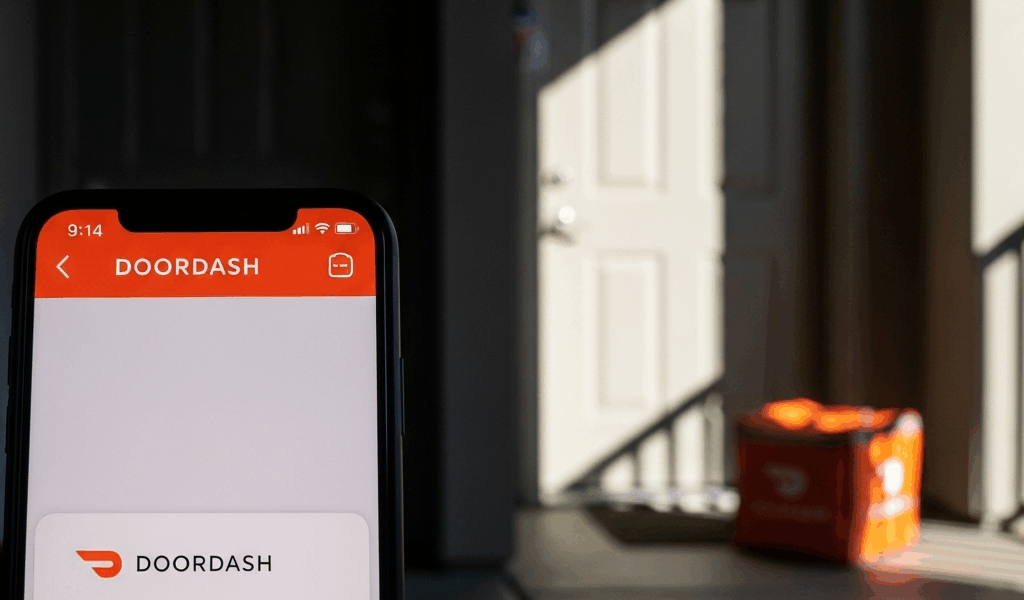
What DoorDash Actually Means by “Delivered”
DoorDash delivery has only gotten messier with time with all the confusion flying around about what “Delivered” actually means. As someone who has dealt with missing orders more times than I’d like to admit, I learned everything there is to know about how this system works. Today, I will share it all with you.
But what is a DoorDash “Delivered” status? In essence, it’s the moment your driver taps a button in their app — not the moment food reaches your hands. But it’s much more than that.
There are three scenarios that cover almost every single one of these cases. And honestly, knowing which one applies to you determines exactly how you handle it.
The first: wrong address entirely. Apartment complexes are brutal for this. GPS coordinates sometimes point to building entrances, neighboring units, or the wrong building altogether — your driver snaps a photo, marks it delivered, and drives away while your pad thai sits outside unit 412 instead of 214. That’s it. Gone.
The second is worse. Frustrated by the pressure of back-to-back orders, a driver marks the order delivered early to close out the job and move on. They may have genuinely forgotten. They may have wanted the completed order off their active list. Either way, the app says delivered. Your food is nowhere. This new habit of early-marking took off several years ago and eventually evolved into the headache DoorDash users know and dread today.
The third is GPS drift. The app pins your location somewhere plausible on the map — just not at your actual unit. Driver follows the navigation, delivers where the GPS said to deliver, marks it complete. You’re three buildings over wondering what happened.
Check These Things Before You Do Anything Else
Yeah, this is where it gets real. Go into the DoorDash app right now and pull up your order. Tap the three-line menu at the bottom right, hit “Active Orders,” select the order, scroll down to “Delivery Details.” There’s a photo of where your food was left. Look at it hard.
Here’s what you’re looking for:
- Is the photo actually of your location? Unit numbers, door colors, anything identifying.
- Does it show a completely different building or entrance?
- Is the timestamp within the last 30 minutes?
- Is the photo so blurry you genuinely can’t tell where anything is?
Now check your order confirmation — scroll back to the top of that same screen and verify the delivery address. The unit number specifically. I’m apparently someone who once had autocomplete select the wrong unit in a complex, and the driver followed the pin exactly. DoorDash works for me now that I double-check every single time, while autocomplete never really worked reliably. Don’t make my mistake.
Before contacting support, physically check these spots:
- Front door and porch
- Side doors or alternate building entrances
- Lobby or mailroom if you’re in an apartment
- Nearby units — neighbors accidentally receive deliveries more than you’d think
- Alcoves, covered entryways, or sheltered spots near your door
If you live in a complex, check with the front desk or knock on a neighbor’s door. Five minutes. That’s all it takes — at least if you want concrete information for your refund claim instead of just saying “it never showed up.” Find it, great. Don’t find it, now you have specifics. That’s what makes documentation endearing to us frustrated customers.
How to Report a Missing DoorDash Order and Actually Get a Refund
Open DoorDash. Orders tab. Find the order. Tap “Help.” Select “Order Issues.” Choose “Items Not Received.” So to what you actually type next.
Don’t write “order never arrived.” Write something specific — something like: “Delivery photo shows a brick entrance with a blue railing, but my unit entrance has a gray door marked 214. I checked with neighbors and the lobby. Nothing was left at my address.” Specific details are everything here.
DoorDash runs an internal refund threshold. Orders under roughly $20 often get instant account credit automatically — no human involved. Orders over that amount may trigger manual review, usually 24 to 48 hours. The automation works in your favor on smaller orders.
For orders over $30, calling support beats using the app chat. Their phone line is buried under Account > Help > Contact Support. Have your order number ready — it’s the 10-digit code at the top of the order screen. Mention the delivery photo shows the wrong location. Phone claims get routed differently than app-only reports. That’s just how their system works.
Expect DoorDash to offer account credit first, not a refund back to your card. They’ll credit your DoorDash balance. Intentional policy. Accept it for the first incident — at least if you want the fastest resolution. Pushing for a card refund takes more effort and more time.
Report within 30 minutes of the delivery timestamp. Claims that come in days later get flagged as lower priority. Sometimes they get flagged as potentially fraudulent, which is a whole separate headache.
When DoorDash Denies Your Missing Order Claim
Sometimes they say no. The response claims the photo shows your location, or they say the order was legitimately delivered, or — and this one stings — they’ve noticed multiple past claims and they’re declining this one outright.
Go back into the app and request a live support agent. The automated response system and live chat are genuinely different tools. Live agents have actual discretion. Explain the situation again — wrong unit, wrong building, GPS mismatch, whatever specifically happened. Escalate once. Most agents will credit your account after one escalation. Not all, but most.
If they deny it a second time, the last resort is disputing the charge with your credit card or bank. Screenshot everything: order confirmation, delivery photo, timestamp, DoorDash’s denial message. Your card company will typically side with you if you have evidence the delivery went to the wrong address. This is the nuclear option — DoorDash may flag your account afterward — but it works when support won’t move.
Accounts with three or more past refund claims get treated differently. DoorDash’s system auto-denies some claims from these accounts. If that’s your situation, the bank dispute method is probably your clearest path forward when support refuses twice.
How to Stop This From Happening Next Time
Add delivery instructions to every single order. When you select your address, tap “Delivery Instructions” and write something real: “Leave at front door unit 214. Knock loudly. Red mailbox immediately to the left.” Specific. Physical. Unmissable.
Enable notifications so your phone alerts you the moment the driver is nearby — maybe 0.3 miles out, which is roughly a two-minute arrival window. Watch for them in real time. Catch problems before they tap “Delivered.”
For apartment complexes, the pin drop feature might be the best option, as GPS mismatch requires a manual correction that autocomplete simply can’t provide. That is because the system guesses based on street address data, not your actual building entrance. Drop a pin directly on your door instead of letting the app decide.
Leave a physical note on your door on high-risk nights — Friday and Saturday evenings especially, and anything after 10 p.m. “Apt 214 — delivery here.” Drivers see notes. It sounds ridiculous. It works.
None of this should fall on you. The responsibility belongs to DoorDash and their drivers. But these steps cut the failure rate to nearly zero — at least if my last fourteen orders without a single misdrop mean anything.

Leave a Reply